Insights:
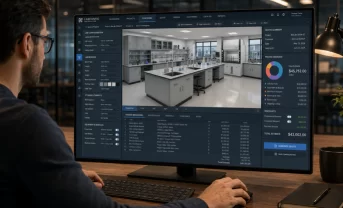
- A web-based product configurator allows customers, dealers, or sales teams to build a product online. They can choose dimensions, colors, materials, components, accessories, services, and other options.
- The software can check each choice against product rules. Impossible combinations are blocked before they become expensive mistakes.
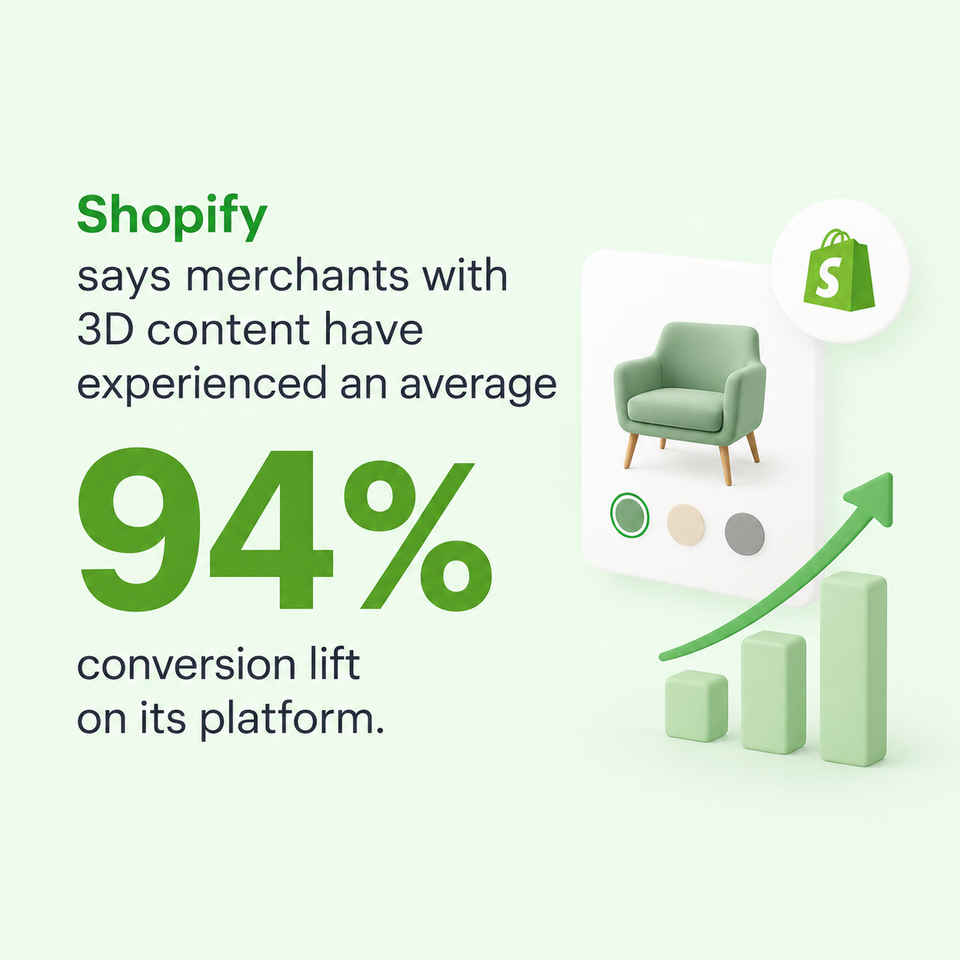
- Interactive visualization can have a real commercial effect. Shopify reports that merchants using 3D content have experienced an average 94% conversion lift on its platform, although individual results naturally vary by product, traffic, implementation, and customer base.
Buying a customizable product should feel exciting — not like solving a difficult puzzle.
Imagine buying a kitchen, industrial machine, laboratory system, window, sofa, bicycle, or computer. There may be dozens — or hundreds — of choices. Which size fits? Which motor works with which frame? Can this material be used outdoors? Is that accessory compatible? What will everything cost?
Web-based product configurator software turns those questions into a guided digital journey. The customer chooses what they need. The software checks the choices, updates the product, changes the price, and can prepare a quote or order.
What Is a Web-Based Product Configurator?
A web-based product configurator is an interactive tool. It helps a user customize a product directly in an internet browser. It presents the available options, checks whether they work together, shows how the product will look, calculates the correct price, and may create a quote or order when the configuration is complete.
How Does a Web-Based Product Configurator Work?
A web-based product configurator takes the user’s choices first. Then it compares them with the stored product rules. The next step is to update the product, visual model, and price in real time. Once the selection is valid, it saves the configuration and passes the information to quoting, ordering, customer management, or production systems.
| Stage | What the user does | What the software does | Result |
|---|---|---|---|
| 1. Start | Opens the configurator and selects a product or need | Loads the relevant model, options, prices, and rules | The user sees a suitable starting point |
| 2. Customize | Chooses dimensions, materials, parts, colors, or accessories | Checks every choice against compatibility and business rules | Only valid combinations remain available |
| 3. Visualize | Rotates, zooms, or changes the product | Updates a 2D or 3D view immediately | The final design becomes easier to understand |
| 4. Price | Adds or removes options | Recalculates costs, discounts, taxes, or customer-specific prices | The user sees an accurate current price |
| 5. Complete | Saves, shares, or submits the configuration | Creates a quote, product code, bill of materials, or order record | Sales and operational teams receive structured data |
| 6. Continue | Returns later or contacts sales | Reopens the saved configuration and keeps its history | The conversation continues without starting again |
What Are the Benefits of a Web-Based Product Configurator?
The biggest benefit is simple: it makes a complicated product easier to buy and easier to sell. That matters because digital buyers want speed, but complexity can create uncertainty. Gartner’s research shows that buyers increasingly prefer self-service, yet self-service without enough support can lead to poor decisions and purchase regret. A well-designed configurator can provide the missing guidance.
Personalized customer experience
Instead of forcing every buyer through the same product page, a configurator responds to what that person actually needs.
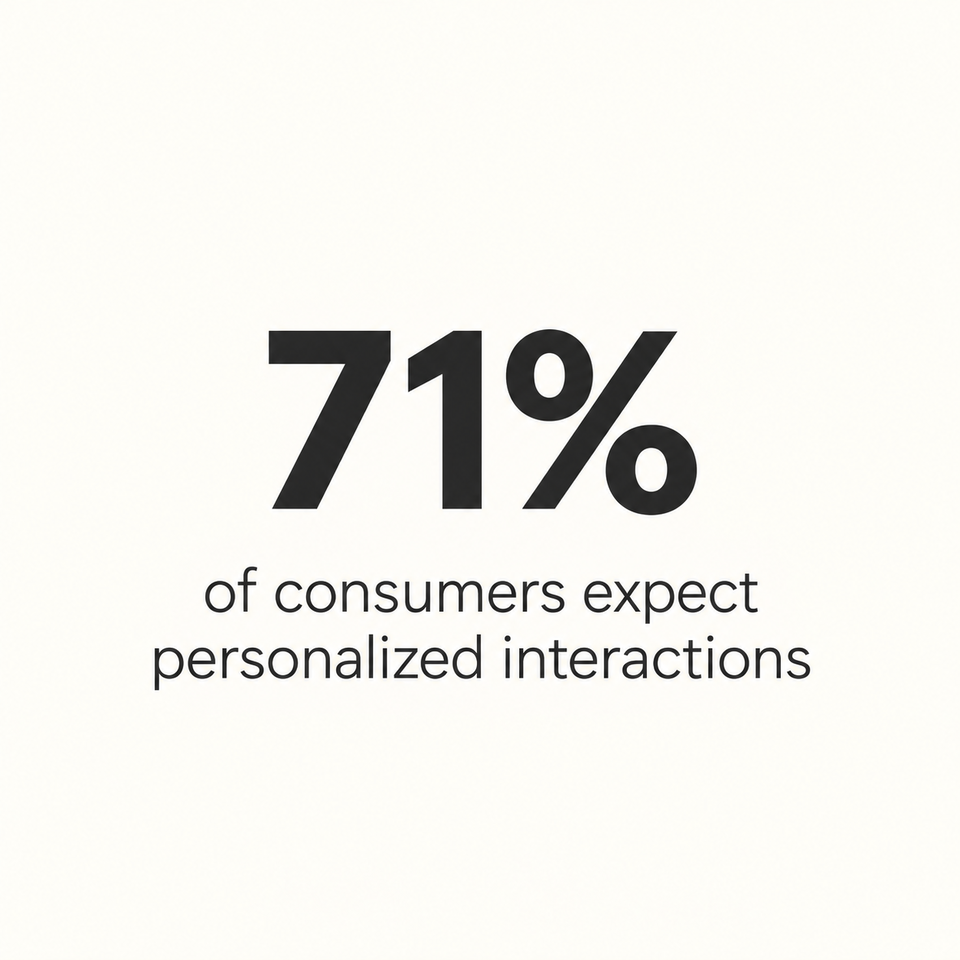
That matters because McKinsey found that 71% of consumers expect personalized interactions and 76% become frustrated when companies fail to provide them. McKinsey also found that 78% said personalized content made them more likely to repurchase.
For a business, configuration is a particularly useful form of personalization because the customer supplies the information directly: “I need this size, this environment, this budget, and this function.”
Accurate product visualization
People find it easier to understand something they can see. With 3D visualization, a customer can rotate a product, inspect details, change colors, swap materials, add modules, and see the result immediately.
AR goes a step further by placing a digital version of the product in the buyer’s physical environment. Research comparing AR with standard web shopping finds that AR’s interactivity, vividness, and spatial presence can strengthen user experience and purchase intention.
There are also useful commercial examples. Shopify says merchants with 3D content have experienced an average 94% conversion lift on its platform. Gunner Kennels reported that introducing 3D and AR was followed by a 40% increase in order conversion and a 5% drop in return rate. Those are specific platform/company outcomes rather than universal benchmarks, but they demonstrate the possible scale of the opportunity.
Fewer configuration errors
Complex products can fail because of one small detail: the wrong component, missing accessory, incompatible material, incorrect voltage, unsuitable dimension, or outdated option.
A configurator can encode those relationships as rules and prevent users from selecting combinations the company cannot produce or deliver.
This is not just a sales issue. Bad data can become expensive once it travels into operations. IBM reports that 43% of surveyed chief operating officers identified data-quality issues as their most significant data-management challenge.
Higher conversion rates
A buyer who understands a product is in a stronger position to say yes.
Interactive visualization, guided choices, immediate feedback, and transparent pricing can remove some of the uncertainty that makes customers abandon a purchase.
The evidence should be interpreted carefully: no configurator can guarantee a conversion lift. Results depend on product-market fit, traffic quality, design, performance, price, and many other factors. Still, experimental research finds stronger purchase intention with rotatable product imagery than with static images, while Shopify’s merchant data points to potentially meaningful conversion gains from 3D experiences.
Faster sales processes
A normal complex sale may involve several rounds of questions:
“Can we have this in another size?”
“Does that part work with this model?”
“What is the new price?”
“Can you resend the quote?”
“Can we see it with a different finish?”
A configurator can answer many of those questions instantly.
That matters when Salesforce estimates that sales representatives spend about 60% of their time on non-selling work.
What Types of Web-Based Product Configurators Are Available?
The main types are visual, rule-based, CPQ, and guided selling configurators. Each focuses on a different part of the buying process, although modern solutions often combine all four to support both simple consumer choices and complex B2B sales.
| Type | Main purpose | Best suited to | Simple example |
|---|---|---|---|
| Visual configurator | Shows changes as users make selections | Products where appearance matters | Changing the fabric and legs of a sofa |
| Rule-based configurator | Keeps technical combinations valid | Products with many dependencies | Matching a machine with the correct motor |
| CPQ configurator | Automates configuration, price, and quote | Complex or negotiated B2B sales | Producing a priced proposal for lab equipment |
| Guided selling configurator | Recommends a suitable solution through questions | Buyers who do not know the product range | Suggesting a storage system based on room size |
Visual configurators
Visual configurators use 2D images, 3D models, or augmented reality. They are useful when color, shape, placement, or finish strongly influences the buying decision.
Rule-based configurators
Rule-based tools focus on technical accuracy. Their logic marks components as required, optional, compatible, or forbidden, guiding users toward a product the company can supply.
CPQ configurators
CPQ means configure, price, quote. These tools connect product selection with pricing, discounts, approvals, and document generation to create a commercial proposal.
Guided selling configurators
Guided selling begins with the customer’s problem. It asks plain questions and recommends a product, package, or configuration that matches the answers.
Which Industries Use Web-Based Product Configurators?
Web-based configurators are used wherever products have many possible combinations or require expert guidance. They are common in manufacturing, furniture, automotive, construction, healthcare, retail, and technology because these sectors must balance customer choice with technical, pricing, and production rules.
Industrial manufacturing
Manufacturers use configurators for machinery, storage systems, production lines, and other engineered products. Buyers can select capacity or dimensions while the software checks components and prepares accurate technical data.
Furniture and interior design
Customers can change fabrics, finishes, layouts, and sizes while viewing the result in 3D. Augmented reality may also place the configured furniture inside a real room through a phone or tablet.
Automotive and mobility
Vehicle configurators organize models, engines, colors, trim levels, equipment packages, and financing choices. Rules make sure that the selected features are available together in the chosen market.
Construction and building materials
Doors, windows, kitchens, modular buildings, and facade systems depend on precise measurements and compatible materials. A configurator helps collect these details and can generate a structured request or quote.
Medical and laboratory equipment
Laboratories and healthcare organizations often buy equipment with complex accessories and site requirements. Guided questions can identify a suitable setup while rules reduce the chance of missing a necessary component.
Consumer goods and retail
Retailers use configurators for products such as shoes, bicycles, jewelry, and sports equipment. The interactive experience makes customization engaging while giving the seller clean order data.
Electronics and technology
Computers, control systems, and electronic assemblies contain parts with clear dependencies. A rule-based configurator can match processors, memory, power supplies, cables, licenses, and service packages correctly.
Which Features Should a Web-Based Product Configurator Include?
A good configurator needs an accessible interface, clear visuals, reliable rules, guided workflows, accurate pricing, quote generation, localization, saved configurations, and analytics. Every feature should simplify the journey or improve the resulting data.
Responsive user interface
The interface should work on computers, tablets, and phones. Clear labels, readable text, suitable touch targets, and a logical order show users what to do next.
Real-time 2D and 3D visualization
Visuals should change when a user selects an option. 2D suits simpler products, while 3D helps when shape, detail, or viewing angle matters.
Constraint-based configuration rules
Constraints define what is possible. They prevent conflicts, add required parts, explain blocked choices, and ensure that a finished configuration can be produced.
Guided selling workflows
A guided workflow breaks a large decision into manageable questions. It explains unfamiliar terms, recommends suitable options, and hides irrelevant technical choices.
Dynamic pricing and discounting
The price should change when the product changes. Strong pricing tools can also handle quantities, customer groups, currencies, regional taxes, promotions, optional services, and discounts that require approval.
Automated quotes and proposals
The system should turn a completed configuration into a clear document or online proposal. Useful outputs include product details, visuals, prices, terms, validity dates, and links that reopen the exact configuration.
Multilingual and multicurrency support
International companies need more than translated buttons. Product descriptions, units, prices, taxes, documents, and regional availability should all adapt to the selected language and market.
Saved, shared, and reopened configurations
Buyers rarely finish a complex purchase in one visit. A saved link or account record lets them return later, compare versions, ask a colleague for feedback, or share the design with a sales representative.
Analytics and customer behavior tracking
Analytics reveal where users stop, which options they prefer, and which configurations lead to quotes or orders. These findings can guide improvements to the product range, interface, pricing, and sales follow-up.
How Does a Web-Based Product Configurator Support CPQ Processes?
A web-based configurator supports CPQ by combining valid product selection, current pricing, and automatic quote creation in one connected flow. It captures what the buyer needs, applies technical and commercial rules, calculates the correct amount, and produces a proposal that sales teams can review, approve, and send.
How Can It Integrate with Ecommerce, CRM, and ERP Systems?
A configurator integrates with ecommerce, CRM, and ERP systems through APIs, software connectors, embedded components, or middleware. These connections allow products, prices, customer details, stock information, quotes, and orders to move automatically instead of being copied by hand.
API-based data exchange
An API is a controlled way for software systems to communicate. It can request a current price, send a saved configuration, or check availability while keeping each application responsible for its own data.
Ecommerce integration
Inside an ecommerce store, the configurator can replace or extend a normal product page. It passes the finished item, selected options, product code, price, and visual preview to the shopping cart and checkout.
CRM integration
A customer relationship management system, or CRM, stores information about leads and customers. The integration can create a contact, record configuration activity, attach a quote, and alert a salesperson when follow-up is needed.
ERP integration
An enterprise resource planning system, or ERP, manages core operations such as products, prices, stock, purchasing, and orders. The configurator can receive reliable master data from the ERP and return approved order details.
Real-time pricing and inventory
Live connections help prevent a configurator from showing an outdated price or unavailable option. Where instant updates are not practical, scheduled synchronization can refresh information at agreed intervals.
Automated quote-to-order flow
After approval, quote data can become an ecommerce order, ERP sales order, bill of materials, or production request. Clear ownership and validation remain important because an automatic flow should never turn incomplete information into a faulty order.
What Are the Main Implementation Challenges?
The main implementation challenges are product data quality, complex rules, system integration, visualization performance, and ongoing ownership. A successful project starts with a manageable product range, assigns responsibility for data, and tests the complete journey from the first choice to the final order.
Complex product data and rules
Product knowledge may be spread across spreadsheets, drawings, price lists, and employees’ experience. Teams must collect it, remove contradictions, define ownership, and translate it into testable rules before automation becomes reliable.
Integration with existing systems
Different systems may use different product codes, customer records, or pricing logic. Agreeing on a clear source for each type of data prevents mismatches and endless synchronization problems.
Performance and scalability
Large 3D models and frequent live calculations can slow the user experience. Optimized assets, sensible loading, caching, monitoring, and realistic traffic tests help the configurator remain responsive as demand grows.
Ongoing maintenance
A configurator is not a one-time brochure. Product options, prices, languages, rules, integrations, and visual assets change, so the business needs a regular update process and named owners after launch.
How Should You Choose the Right Web-Based Product Configurator?
Choose a configurator by matching its capabilities to your product complexity, customer journey, sales process, system landscape, and internal resources. A polished 3D demo matters less than reliable rules, usable administration, integration options, performance, security, accessibility, and a realistic ownership model.
| Selection question | What to examine | Why it matters |
|---|---|---|
| How complex are our products? | Number of options, dependencies, calculations, and special cases | Determines the strength of the rules engine required |
| Who will use it? | Customers, dealers, sales teams, engineers, or several groups | Shapes the interface, permissions, and guidance |
| How important are visuals? | Need for 2D, 3D, photorealism, animation, or AR | Affects cost, asset preparation, and device performance |
| Do we need CPQ? | Pricing rules, discounts, approvals, quote templates, and signatures | Defines whether visualization alone is sufficient |
| What must it connect to? | Ecommerce, CRM, ERP, PIM, payment, or manufacturing systems | Reveals integration scope and data ownership |
| Who will manage it? | No-code tools, roles, training, support, and update workflows | Determines whether the solution remains useful after launch |
| Can it scale safely? | Speed, uptime, security controls, monitoring, and regional hosting needs | Protects the experience as usage and product data grow |
| Is it accessible? | Keyboard use, contrast, focus, labels, text alternatives, and testing | Enables more people to complete the journey |
What Is the Future of Web-Based Product Configuration?
The future of web-based product configuration is more conversational, visual, connected, and automated. Artificial intelligence will help people describe their needs, 3D and augmented reality will make products easier to judge, and composable technology will connect configuration directly with commerce, production, and service.
AI-powered guided selling
AI can turn everyday requests such as “I need a quiet machine for a small workshop” into useful questions and recommendations. Product rules must still verify the answer so that a friendly suggestion never becomes an impossible order.
Advanced 3D and augmented reality
Faster devices and better web graphics will make detailed models easier to use without downloads. AR will help more buyers check scale, placement, and appearance in a real environment before committing.
Composable and headless architecture
Composable systems are built from connected parts that can be changed independently. A headless configurator separates its underlying logic from the visible interface, making it easier to reuse the same capabilities across websites, apps, portals, and stores.
Automated sales-to-manufacturing workflows
Validated choices can increasingly create engineering data, bills of materials, work instructions, and service records. Human review will remain necessary for unusual or safety-critical orders, but routine handovers can become much faster.
Why Choose CanvasLogic for Web-Based Product Configuration?
The platform supports interactive 3D, browser-based augmented reality, real-time pricing, PDF quotes, mobile use, and embedding through an iFrame or API. Data can also move into ecommerce, CRM, ERP, or manufacturing environments.
CanvasLogic provides solutions for manufacturing, furniture, automotive, medical equipment, and building products. Each project begins by understanding the product, users, rules, systems, and expected result.
This combination is particularly useful when a company needs more than an attractive product viewer. Buyers can see what they are creating, the system can confirm that the design is valid, and the commercial process can continue with an accurate price or quote.
Conclusion
A web-based product configurator turns a complicated decision into understandable steps. It helps buyers explore, visualize, and price their choices while giving the business cleaner data and control over what can be sold.
The best solution represents the product faithfully, explains choices clearly, connects with existing systems, and remains manageable as the product range changes. A focused use case and reliable data provide the strongest starting point.
FAQ
Can a web-based product configurator work offline?
Usually, a web-based configurator needs an internet connection because its models, rules, prices, product variants, rendering, and integrations run online. Limited offline use is possible, but the required data and assets must be stored safely on the device and synchronized when the connection returns.
How often should configuration rules and catalogs be updated?
Update them whenever a product, price, component, regulation, or compatibility rule changes. Many businesses also schedule regular reviews, assign an owner to each data area, and use automated tests to check popular and high-risk combinations before publishing updates.
Which accessibility standard should a configurator follow?
WCAG 2.2 is the current W3C recommendation for making web content more accessible. Aim for the level required by applicable laws or contracts, commonly Level AA, and test with keyboards, screen readers, zoom, visible focus, and alternatives to visual-only information.
Which metrics should businesses track after launching a configurator?
Track configuration starts and completions, time to quote, quote accuracy, conversion rate, average order value, abandonment points, sales-cycle length, error or return rates, and the share of orders requiring manual correction. Compare the results with a clear baseline from before launch.